Tuesday, July 28, 2020

Neighborhood Watch with the National Crime Prevention Council

Calendar Icon
Last Updated: A day ago
While neighbor-driven safety networks can bring a lot of benefits, make sure your participation in them doesn't spread disinformation or racially profile or stereotype people. If you're joining a Neighborhood Watch group, is your intention to divide or build your community? And how does that align with the impact you're seeing?

Learn more about community building in our article on staying safe in your neighborhood.

Safe neighborhoods start with vigilant neighbors, and many concerned citizens around the country have founded Neighborhood Watch programs to help. To help you set up a safe and successful group in your community, we talked to the CEO of the National Crime Prevention Council—and glean information from its “spokesperson,” McGruff the Crime Dog. Here’s what they had to say about safety, resources, and tips for neighborhood watch groups.

Which government agencies, community groups, or law enforcement and safety professionals are willing to help concerned citizens set up a Neighborhood Watch?

Neighborhood Watch is actually a program of the National Sheriff’s Association.  However, the National Crime Prevention Council has many downloadable resources, brochures, and assessments about Neighborhood Watch and home and community safety on its website.

These resources can be used at Neighborhood Watch meetings and provide information for communicating safety and prevention tips.

For the National Neighborhood Watch website, visit www.nnw.org.

How do I recruit people to join my Neighborhood Watch? What types of roles are involved?

It doesn’t take many special skills to start and maintain a Neighborhood Watch. What you mostly need is the desire to live in a safe place for your family (and most people want that). Neighborhood Watch can also forge great camaraderie with your neighbors.

NCPC has a Neighbor Watch checklist that you can use to begin the process of starting the program.  You can begin with a neighborhood canvass to see who is interested not only in having the Neighborhood Watch program but who would like to be a part of the planning committee.

NCPC also has several surveys your community can use as a starting point to evaluate the safety of your homes and neighborhood:

These surveys ask questions related to door and window security, indoor and outdoor lighting, and travel safety measures.

The neighborhood survey is great as a means of identifying a list of issues that can be challenging for a neighborhood with discussion points on ways to address them. Once you’ve identified weak spots, learn how to get your Neighborhood Watch program started.

You may also find the NCPC Neighborhood Watch Organizer’s Guide helpful.

When is it appropriate to collaborate with neighbors vs. report incidents?

Neighborhood Watch strengthens many activities that neighbors are already doing in their communities (like watching out for each other’s homes during vacation leaves and working together to catch package thieves).

Neighborhood Watch brings the power of the organization and the ability to focus energy and resources. When you organize with your neighbors, you can create phone trees, devise neighborhood plans for specific emergencies, and spread education on preventative measures to stave off crime.

When it comes to reporting incidents to law enforcement, make sure it’s a true emergency. Think twice before reporting “quality-of-life crimes” like vandalism, littering, congregating, and panhandling.

And make sure to check your racial biases. San Francisco isn’t the first U.S. city to propose an act making racially based 911 calls illegal, but its “CAREN Act” has garnered plenty of headlines as national conversations address policing’s disproportional impact on Black Americans.

Many jurisdictions have a 3-1-1 non-emergency number that can be used for reporting purposes. If you’re witnessing a true emergency or crime in progress, call 9-1-1.

What crime prevention efforts can neighbors do to help make their communities safer?

There are many crime prevention efforts that can be undertaken to make the community unattractive to criminals.  This begins with everyone using the home and apartment surveys to assess their own home and apply safety and prevention measures.  These measures can include increasing outside lights, trimming bushes and trees for improved visibility from inside and outside of the home, making sure that doors and windows are locked at all times, turning outside lights on at night, and using your alarm system.  If you are unable to afford an alarm system, place a placard outside of your home anyway to say that your home is protected by an alarm system. Usually just showing a sign will make a potential criminal move to the next and easier target.  Remember, many criminals look for vulnerabilities and quick and easy access.  The goal is to make your home as protected and secure as possible.

If you plan to go on vacation or a business trip, make sure you have a couple of lights on a timer in your home to come on at random times, keep music or a TV on, and remember to stop your mail and newspaper or have a neighbor pick them up daily for you.

Lastly, there are also signs that can be purchased for the community that states your neighborhood is now a Neighborhood Watch community. Having a visible sign at the entrance of your neighborhood will alert potential criminals that their actions are being watched.

Where can we learn how to de-escalate a heated situation, deal with suspicious individuals who won’t leave our community etc?

It is not the job of Neighborhood Watch group members to ever engage in a heated situation or deal with suspicious individuals.  This is the role of the police department. These are the times that Neighborhood Watch members should call 911 to report suspicious activities and people. You don’t want to become a victim yourself.

You can assist the police by writing down key information to help in the investigation such as the description of the suspicious person (be sure to include color of hair, eyes, and other distinguishing marks; what was the person wearing and color of clothes; were there any tattoos or scars; what is the make and model of the car; did you notice the license plate tag number and state; what is the timeline of the incident). All information is helpful for the police in their investigative efforts.

What can be done to help sustain a Neighborhood Watch program and keep it exciting and thriving?

There are many things that communities can do to sustain their Neighborhood Watch program.

Mix business with pleasure. Have the Neighborhood Watch meeting but also build in time to socialize afterward.  This helps neighbors to get to know each other better.  Rotate who supplies the snacks and beverages so that the burden isn’t always on a couple of people.

Make sure to rotate the meetings to various homes or other locations throughout the community. Libraries often have meeting rooms that can be rented for free. You can include the faith community by considering having a church host a meeting.  Local businesses can also assist with helping to publicize meetings and some even assist with donations to the group for big neighborhood events.

Start a neighborhood newsletter or Facebook page to highlight the great things that are happening in your community. You can also make sure there are timely prevention tips as well to coincide with holidays and special events.

Consider working with existing organizations such as citizen’s associations, tenants’ associations, or housing authorities. Partnering with these organizations can strengthen your Neighborhood Watch group and its efforts in the community.

Remember, teenagers are valuable resources. They can and should be an integral part of the group and could assist by biking and/or rollerblading to scout around the neighborhood. They will also have great ideas on how to get the youth active in your safety efforts.

Arrange to have McGruff make an appearance at a meeting, a block party, or other events. Contact NCPC at 443-292-4565 to find the nearest agency that owns the McGruff costume.

What else can Neighborhood Watch assist with?

Neighborhood Watch has greatly expanded from the mission that started it in the 1970s.  Today, Neighborhood Watch groups have become invaluable with helping to strengthen their community with homeland security activities such as:

  • Involvement with Citizen Corps – programs that ask individuals to be prepared; get training in first aid and emergency skills; and volunteer to support local emergency responders, disaster relief, and community safety.
  • Help their community develop an evacuation plan in case of a hurricane, flood or other disaster or event. This plan should include a neighborhood directory with phone numbers and email addresses for everyone in the neighborhood.
  • Help neighbors develop their own emergency preparedness plans.
  • Discuss local warning systems and how to find information for temporary shelters in emergency situations. It is also important to know who in your neighborhood have certain expertise that can be useful such as medical and fire personnel or business owners.
  • Discuss potential terrorist targets in or near your community – such as power plants, stadiums, airports and bridges. Neighbors can discuss the consequences should an attack occur and develop a safety plan with the help of local law enforcement.

What tips can parents give to their children to help them stay safe in the neighborhood?

There are many steps that you can take to help keep your family.

  • Know where your children are. Have your children tell you or ask permission before leaving the house and give them a time to check in or be home. When possible, have them leave a phone number of where they will be.
  • Help children learn important phone numbers. Have your children practice reciting their home phone number and address, and your work and cell phone numbers. If they have trouble memorizing these, write them down on a card and have them carry it at all times. Tell your children where you will be and the best way to reach you.
  • Set limits on where your children can go in your neighborhood. Do you want them crossing busy roads? Playing in alleys or abandoned buildings? Are there certain homes in your neighborhood that you don’t want your children to go to?
  • Get to know your children’s friends. Meet their parents before letting your children go to their home and keep a list of their phone numbers. If you can’t meet their parents, call and talk to them. Ask what your children might do at their house and if they will be supervised.
  • Choose a safe house in your neighborhood. Pick a neighbor’s house where your children can go if they need help. Point out other places they can go for help, like stores, libraries, and police stations.
  • Teach children to settle arguments with words, not fists. Role-play talking out problems, walking away from fist fights, and what to do when confronted with bullies. Remind them that taunting and teasing can hurt friends and make enemies.
  • Work together with your neighbors. Watch out for suspicious and unusual behavior in your neighborhood. Get to know your neighbors and their children so you can look out for one another

About NCPC

The National Crime Prevention Council (NCPC) is the nonprofit leader in crime prevention.  NCPC is a private, nonprofit organization whose primary mission is to be the nation’s leader in helping people keep themselves, their families, and their communities safe from crime. NCPC manages a public education campaign—symbolized by McGruff the Crime Dog® and his “Take A Bite Out Of Crime®” slogan.  NCPC publishes books, kits of camera-ready program materials, posters, and informational and policy reports on a variety of crime prevention and community-building subjects.  It distributes those materials through a large network of crime prevention professionals and national, federal, state, and local organizations.   NCPC offers training, technical assistance, and a national focus on crime prevention.

About McGruff

Back in 1980, a dog in a rumpled trench coat said, “You don’t know me yet. But you will.” Since then, McGruff the Crime Dog® has taught millions of people that the police can’t fight crime alone – crime prevention is everybody’s business and everyone can help “Take A Bite Out Of Crime®.”

Through television commercials, comic books, live appearances, and more, McGruff has encouraged Americans to take common-sense steps to reduce crime. Some of his favorite messages are

  • To lock doors, leave the lights on when away from home, and let neighbors know when you go on vacation
  • Do things that build a sense of neighborhood and create communities that don’t produce crime and where people look out for each other and kids feel safe
  • Get involved, to join Neighborhood Watch, and to clean up streets and parks
  • For children and teens to protect themselves from substance abuse, bullies, and gang violence

Facts About McGruff

  • There are approximately 4,000 active McGruffs (number of costumes in use).
  • McGruff has a classy Corvette, a monster truck in Arizona, and a wiener wagon in Florida. But most of all, he likes to ride in patrol cars assisting law enforcement.
  • McGruff’s favorite crime-fighting techniques are to teach children specific tips to be safe at home and school and to help law enforcement officers do their jobs better.
  • McGruff is a “ham,” so he loves doing public service announcements for television and radio or posing for print or billboard advertising.
  • In 2015, McGruff turned 35 years young. He had birthday parties all around the country, making appearances at health and safety fairs and other media events and showing off his 32-foot-tall balloon at county and state fairs. He has blown out birthday candles on countless cakes. He has made the most of these opportunities to spread the word about preventing crime.

The post Neighborhood Watch with the National Crime Prevention Council appeared first on SafeWise.

Monday, July 27, 2020

What is Alexa Guard

We tell you what Alexa Guard is, what it can do, and how to set it up.

What Alexa Guard does

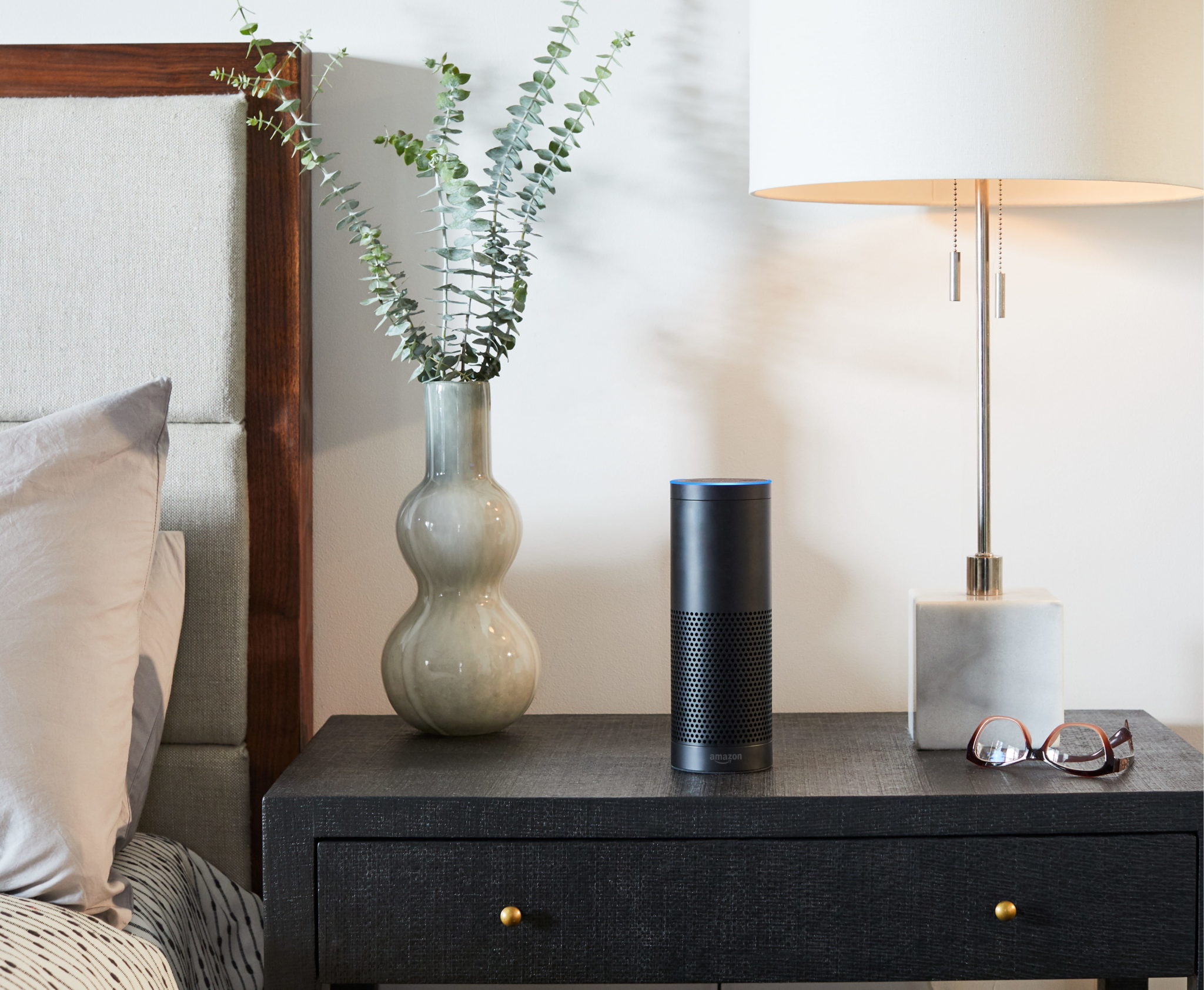
Alexa Guard is a free home security feature you can activate in your Alexa-compatible smart speaker or smart display device, like Echo Show. When you enable Alexa Guard, it lets your Amazon Echo device listen for suspicious sounds when you’re asleep, away from home, or any time you want some extra protection.

If something out of the ordinary is detected, Alexa will notify you so you can check in and take the appropriate action to keep your home safe. Guard listens for things like glass breaking or your smoke/carbon monoxide alarms going off.

Alexa Guard sends notifications to your phone. But you can also get smart alerts through your home security system if you have a system like Ring or ADT that works with Alexa Guard.

Rundown of Alexa Guard capabilities 

  • Listen: When you set Alexa Guard to Away mode, your Echo device will listen for sounds like the smoke detector, the carbon monoxide alarm, or breaking glass.
  • Send smart alerts: When Alexa picks up one of the sounds it’s listening for, you’ll get a smart alert with a clip of the sound. Alerts go to your smartphone through the Alexa app, and you can listen to the clip or “Drop In” on your Amazon Echo speaker to remotely listen to what’s going on.
  • Control smart lights: If a sound is detected, Alexa can automatically turn your smart lights on or off to make it seem like someone’s at home.
  • Work with your security system: Alexa Guard currently integrates with home security systems from ADT and Ring Alarm. This adds an extra layer of protection because Alexa can automatically arm your system when a sound is detected.

How to set up Alexa Guard

Setting up Alexa Guard is surprisingly easy.

  1. Open your Alexa app.
  2. Go to Settings.
  3. Scroll down and select Guard.
  4. Select Set up Guard at the bottom of the screen.
  5. Use the guided navigation to select the smart alerts you want (smoke and carbon monoxide alarm sounds, glass breaking, away lighting).
  6. Add your zip code if you select “away lighting” alerts. Guard uses sunset and sunrise times where you live to provide accurate smart light assistance.
  7. Confirm your selections.

How to use Alexa Guard

After you set up Alexa Guard in your Alexa app, all you have to do is say, “Alexa, I’m leaving,” and Guard will switch to Away mode.

To deactivate Alexa Guard, you simply say, “Alexa, I’m home.” That will change your Guard status to Home mode.

If you’re not near your Alexa device and want to activate or turn off Alexa Guard, you can use the Alexa app. Go to the Guard section of the app and select the mode you want.

How do I know Alexa Guard is working?

If you have an Amazon Echo smart speaker without a display, the light ring on your Echo will show a rotating white light.

If you have an Echo with a display, like Amazon Echo Show, your device will show a shield icon on its home screen.

Either the rotating white light or the shield will remain active as long as Alexa Guard is in Away mode.

The post What is Alexa Guard appeared first on SafeWise.

Best Medical Alert Necklaces

Best overall
Lively Mobile MonitorLively Mobile Plus
  • Low monthly costs
  • Two-way communication
  • Waterproof
  • Low monthly costs
  • Two-way communication
  • Waterproof
Best GPS necklace
mobilehelp solo medical alert equipmentMobileHelp Solo
  • No equipment fee
  • Compact alert button
  • GPS tracking
  • No equipment fee
  • Compact alert button
  • GPS tracking
Best in-home pick
Bay Alarm Medical charmsBay Alarm Medical
  • Four clip-on charms
  • Waterproof jewelry
  • Optional fall detection
  • Four clip-on charms
  • Waterproof jewelry
  • Optional fall detection

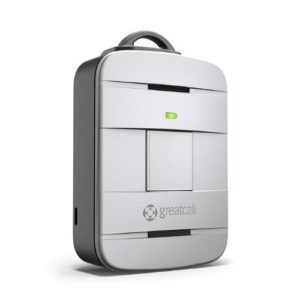
Lively Mobile Plus: the practical pick for a medical alert necklace 

The Lively Mobile Plus isn’t your everyday necklace. This medical alert necklace comes with an emergency button to call for help and a built-in two-way speaker to talk to the emergency operator on the other side. 

When you press the button, a trained GreatCall professional can help you out and call emergency responders or your emergency contacts. It also offers optional automatic fall detection, a feature that can sense when you’ve fallen and can’t call for help. 

So while you won’t see the Lively Mobile Plus on the runway anytime soon, it’s the most affordable and practical medical alert necklace we came across. This device comes with a lanyard or belt clip for easy wearing at home, out on the town, in the garden, or on the golf course.

Best medical alert necklaces

Monthly price
Emergency button
GPS location
Two-way communication
Waterproof
Disguised as jewerly
Best overall
Best GPS necklace
Best in-home pick
Best fall detection
Style pick
Lively Mobile Plus MobileHelp Solo Bay Alarm Medical Philips GoSafe 2 Medical Guardian Icons Collection
Lively Mobile Monitor mobilehelp solo medical alert equipment Bay Alarm Medical charms Phillips Lideline GoSafe 2 Medical Guardian Icons necklace
$24.99 $37.95 $24.95 $49.95 $37.94 or $52.94*
Yes
✓
Yes
✓
Yes
✓
Yes
✓
Yes
✓
Yes
✓
Yes
✓
No
X
Yes
✓
Yes
✓
Yes
✓
Yes
✓
Yes
✓
Yes
✓
No
X
Yes
✓
Yes
✓
Yes
✓
Yes
✓
No
X
No
X
No
X
Yes
✓
No
X
Yes
✓
Visit GreatCall Visit MobileHelp Visit Bay Alarm Medical Visit Philips Lifeline Visit Medical Guardian

Info current as of 07/24/2020. Offers and availability may vary by location and are subject to change.
*The Icons Collections necklace is a $2.99 add-on feature. These prices represent the monthly costs for the Home Guardian and Mobile Guardian systems per month with this add-on fee applied.

Our approach 

All of the best medical alert systems have a lanyard or necklace option of some kind. We wanted to find the perfect combination of style, functionality, and comfort. We put practical features first, so devices with features like two-way talk and fall detection landed on top. 

Showers and bathtubs can be a dangerous place for older adults due to slippery surfaces. That’s why we added waterproofing to our list of considerations. It’s important to have a medical alert necklace that can go with you everywhere (we’re talking about the greatest bath accessory since the rubber ducky). 

And of course, we considered style. A medical alert necklace isn’t much use if you don’t want to wear it every day. We found a couple options that were more fashion forward choices disguised as everyday jewelry. 

Learn more about how we approach reviews like this one from our methodology page.

What is Medical ID jewelry?

Medical alert necklaces are often confused with medical ID jewelry. Medical ID jewelry is more like traditional jewelry or dog tags. They can be as fashionable or practical as you want and are usually engraved with personal information.
If you have an emergency, these pieces will make it easier for first responders to start treatment. Emergency contact info, allergies, medications, and other data are common on medical ID necklaces and bracelets. People with diabetes or other conditions often wear medical ID jewelry, but we’ve also seen medical ID necklaces for kids and adults.
While these necklaces are different from the medical alert devices on our list, we do have medical ID bracelet recommendations, most of which have options for medical ID necklaces as well.

Medical alert necklace reviews 

1. GreatCall Lively Mobile Plus: Best Overall

Best overall
Lively Mobile Monitor

Lively Mobile Plus

The GreatCall Lively Mobile Plus medical alert necklace can call for help anywhere it has a cellular signal. One standout feature is its GPS location, which helps emergency responders or your emergency contacts to find you when you call for help. It also has a built-in two way speaker so that you can talk to the emergency operator directly through the device. 

If you’re looking for a medical alert necklace for a loved one, GreatCall has a companion app that lets you keep an eye on them directly through your phone. 

Like most medical alert devices, you can get fall detection built into Lively Mobile Plus. But you’ll need to pay a little extra per month for this feature. If you’ve been injured from a fall before, it’s worth the money.

The starting price for the Lively Mobile Plus is $49.99 for the device and $24.95 for the Basic monthly subscription. But the Basic plan provides only emergency calling services. You’ll have to pay $29.95 per month or more if you want features like the mobile app or fall detection. Read our full review of GreatCall to learn more about this device.

Pros

  • Two-way communication
  • Automatic fall detection
  • Caregiver app

Cons

  • Best features cost more
  • Larger than most necklaces

2. MobileHelp Solo: Best GPS

Best GPS necklace
mobilehelp solo medical alert equipment

MobileHelp Solo

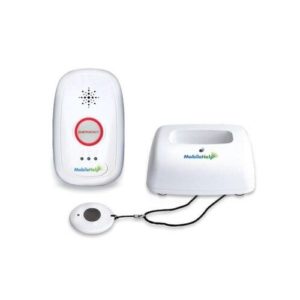
The MobileHelp Solo is a two-piece medical alert device made of a mobile GPS unit and a simple one-button emergency necklace. The GPS unit is small enough to fit comfortably in pockets, purses, and bags. The necklace is compact and comfortable to wear. Having two pieces to carry with you at all times may take getting used to, but neither device is large enough to get in your way.

GPS medical alerts like the MobileHelp Solo replace an at-home base station with a small GPS device (about the size of a pager). When you’re in trouble, press the button on the necklace or GPS unit to call for help. You’ll speak to a MobileHelp monitoring professional through the portable GPS unit. 

One of our favorite parts about MobileHelp as a medical alert company is the option for flexible payments. You can pay yearly or break up your payments into small monthly chunks—whatever works best for you. Usually, the larger the payment, the bigger the discount, but it’s nice to have options. 

Both units are waterproof, so you can wear the necklace while in the shower with the GPS nearby. Fall detection is available through MobileHelp for $10 extra per month. 

As for looks, it’s not exactly a head-turning accessory, but it could save your life when you need it. Learn more about MobileHelp Solo and MobileHelp’s other medical alert devices from our full review. 

Pros

  • Portable device
  • Flexible payments
  • Waterproof build

Cons

  • Not aesthetically pleasing
  • Must stay in range of GPS device

3. Bay Alarm Medical: Best in-home pick

Best in-home pick
Bay Alarm Medical charms

Bay Alarm Medical

Bay Alarm Medical is one of our favorite medical alert systems. It offers affordable monitoring with plenty of options for in-home, GPS, and even auto medical alert devices. 

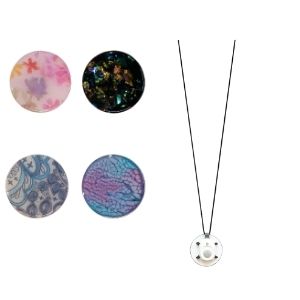
If you’re looking for an in-home system that will compliment your style, you can customize the med alert necklace with one of four “Bella Charm” clip-on pendants to go over your lanyard button. 

They cost just under $28 and make your med alert look like a piece of wearable art. These clips are waterproof, so you can wear them in the shower and bath like a standard medical alert necklace.

Unfortunately, this charm clip add-on is available only for in-home systems through Bay Alarm Medical. These systems come with a landline or cellular option. And you can opt for additional buttons to place throughout your house. 

Like many in-home medical alert systems, you’ll need to stay within range of the base station, but you get 1,000 feet of roaming space, which is plenty of room to move around your house and still call for help when you need it. Read our full review of Bay Alarm Medical to learn more about this medical alert system.

Pros

  • Waterproof build
  • Easy installation
  • Stylish design

Cons

  • Available for in-home systems only
  • Must stay in range of base station

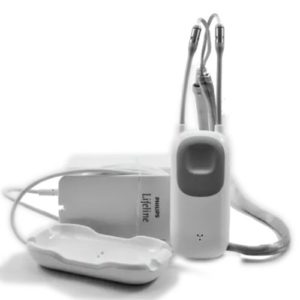
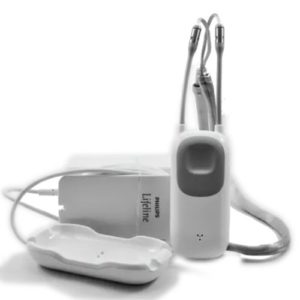
4. Philips GoSafe 2: Best fall detection

Best fall detection
Phillips Lideline GoSafe 2

Philips GoSafe 2

Like our top pick, the Philips GoSafe 2 is another all-in-one medical alert necklace. It has automatic fall detection already built in, GPS tracking, an emergency button, and two-way communication. 

Unlike other picks of ours, fall detection comes included in the monthly bill. It’s nice not to debate adding that extra $10 per month, but the bill already sits at a steep $49.99 per month. 

It’s not what we’d call fashionable, but it’s small enough to wear comfortably wherever you go. The device itself is only a couple inches long, so you can slip it under your shirt or jacket and keep it out of the way until you need it.

It uses five GPS locating technologies too, so EMTs and your emergency contacts will get an accurate location when you call for help. If you’ve ever fallen for nonsense directions from your vehicle GPS system, you’ll understand how helpful this increased accuracy is. 

Our biggest complaint about the Philips Go Safe 2 is the pricing and fees. For this Philips device and all the ones we’ve come across, you have to pay an installation fee, even if you install the device yourself. And for just under $50 per month, you may need to make room in your budget to accommodate it. Read our review of Philips Lifeline medical alert systems to see more products like this.

Pros

  • Fall detection included
  • Five types of GPS technology
  • Small and comfortable to wear

Cons

  • Expensive monthly fee
  • Self-installation fee

5. Medical Guardian Icons Collection: Style pick

Style pick
Medical Guardian Icons necklace

Medical Guardian Icons Collection

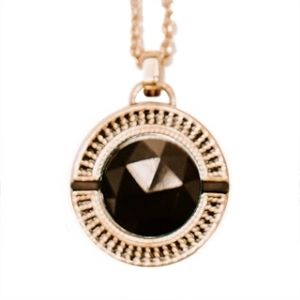
The Medical Guardian Icons Collection has four gorgeous medical alert pendants styled after Audrey Hepburn, Dolly Parton, Tippi Hedron, and Farrah Fawcett. These devices are genuinely pretty pieces of jewelry, but they aren’t as practical as our other picks on this list. 

The Icons Collection pendants are available only with the Home Guardian and Mobile Guardian kits. They cost an extra $2.99 per month. They work as a simple alert button but lack two-way communication and fall detection. They aren’t waterproof either, so you won’t be able to wear one in the shower.  

Luckily, the Icons pendants come paired with other devices. The Home Guardian home unit is made of a simple base station and a wearable (your Icons Collection necklace). At 600 feet, its range is significantly shorter than other in-home units. But it has a loud two-way speaker, power outage protection, and strong cellular signal to stay connected with the monitoring center. 

The Mobile Guardian kit is the other compatible system for the Icons Collection. Like the MobileHelp Solo, the Mobile Guardian is a two-piece GPS system with a GPS unit and the necklace wearable. You’ll need to stay within 350 feet of the GPS unit, but you can call for help using the Icons necklace anywhere your GPS device is. So you can go to lunch with friends, go to your grandkids’ recital, and take a walk in style (and safety). 

We love the way the Icons Collections medical alert jewelry looks, especially if you don’t want a clunky medical alert necklace. But you’ll have to sacrifice a few features in the name of fashion. 

Learn more about Medical Guardian from our full review.

Pros

  • Looks like real jewelry
  • Built-in help button
  • Works with Home Guardian and Mobile Guardian systems

Cons

  • No two-way communication
  • Not waterproof
  • No automatic fall detection

Final word

Medical alert devices don’t have to be clunky and unfashionable. But when you have to call for help in an emergency, practical features win over style. Take the Lively Mobile Plus, for example, which lacks in looks but wins overall for core features. In contrast, the Medical Guardian Icons Collection looks more like jewelry but is limited in function. 

Look for a medical alert necklace that connects to a monitoring center quickly, whether you’re home or on the go. Automatic fall detection, waterproofing, and two-way communication should be features you look for in any medical alert system.    

Medical alert necklace FAQ 

What’s the difference between a medical ID necklace and a medical alert necklace?

Medical ID jewelry like bracelets and necklaces are usually standard gold or silver pieces with emergency information like allergies, contacts, and medications engraved. 

Medical alert necklaces come equipped with a call button that contacts an emergency operator who will send help to your location when you need it. 

Should I get a medical alert necklace or bracelet?

Both necklaces (or lanyards for some devices) and bracelets have a one-touch call button to contact help when you need it. 

The choice boils down to personal preference and comfort. You’ll need to wear your device at all times, so choose one that won’t get in the way of your daily activities. Most medical alert systems give you a choice between the two. 

What is automatic fall detection?

Automatic fall detection is a feature built into medical alert devices that detects a change in altitude and speed. If you fall down, trip, or slip, the device will automatically call the monitoring center in case you need assistance. 

Can I find a medical alert necklace in stores?

Most medical alert systems require you to order online or call in to have one shipped to your home. The only device we found available in stores is the Lively Mobile Plus by GreatCall which you can find at local Walgreens or Rite Aid stores. GreatCall has a store locator on its website if you want to find one near you.

The post Best Medical Alert Necklaces appeared first on SafeWise.
Ring Home Security System Review

Ring's logo

Overall Rating

3.3/5
  • Contract-free
  • Easily expandable
  • Professionally- or self-monitored
Calendar Icon
Last Updated: A day ago
Ring has been in the spotlight again for its partnerships with police during the nationwide protests that continue after the death of George Floyd while in police custody.

The Neighbors app has been used by citizens during the protests in order to track police activity—and footage could potentially be used to identify protesters. For more details, read our full update on Ring's police partnerships.

The bottom line on Ring security

With no contracts and no fancy extras, Ring Security is basic in the best way. This home alarm system is a good fit if you want a no-frills security system that gets the job done. It’s easy to assemble, attentive with its alerts, and expandable so it can grow with your family.

Pros

  • Wildly affordable price
  • Huge range of cameras
  • Clever Neighbors app

Cons

  • Few sensors in starting package
  • Confusing keypad
  • Tough features to reset

How we reviewed Ring Alarm

We wanted to see the Ring alarm system in action, so we took one home. Our tester set it up and used it over a weekend. During that time, they had a partner back home arm and disarm the system while they checked from the app.

We tested Ring for everyday situations, like arming and disarming it remotely and through the keypad. We left it on while our tester was home and armed it when they left. We caused a couple of false alarms while learning the system, but we were able to disarm it quickly through the app.

Learn more about how we tested Ring and other systems by reading our full methodology.


Compare Ring Alarm prices

Monthly Cost
Yearly Cost
Video
Professional Monitoring
Recommended Add-Ons
Best For
Learn More
Free Protect Basic Protect Plus
$0 $3 $10
$0 $30 $100
X
No
✓
Yes
✓
Yes
X
No
X
No
✓
Yes
Amazon Alexa Ring cameras Environmental sensors
Motion detectors
Ring cameras
Singles and couples Small families Large families
View on Amazon View on Amazon View on Amazon

Data effective 07/27/2020. Offers and availability subject to change.

Ring costs peanuts compared to other self-installed systems like it. The base price for the starter kit is under $200. Self-monitoring is free without video or you can add a camera with video recording for $3. And at $10 per month, Ring’s professional monitoring is one of the cheapest rates we’ve encountered.

The Protect Plus plan also includes perks like video backlog and discounted equipment. Other systems like Frontpoint and SimpliSafe have these features, but you’d have to pay up to $40 per month. Unfortunately, Ring doesn’t offer professional video monitoring with any of its plans.

Things that cost more than Ring's monthly monitoring rate:

A Netflix subscription
A gym membership
A night at the movies
A week of groceries
Impulse purchases on Amazon

Ring security tech and equipment

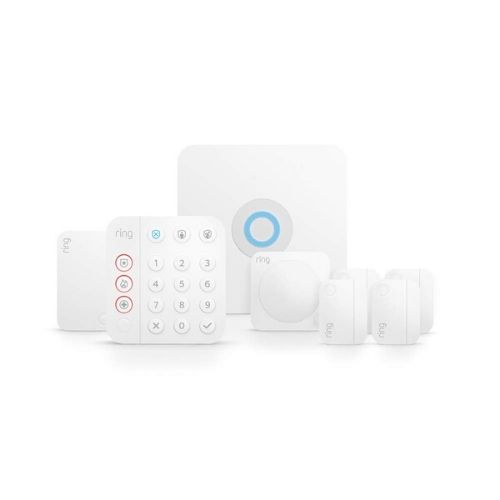
All of Ring’s standard tech has a simple white cover with the signature blue LED ring. The ring of light on the sensors illuminates when they catch motion or the system is armed.

We like the minimalist look of Ring’s equipment, and the chime feature on the door/window sensor is comforting to hear when you come home.

What’s in the Box
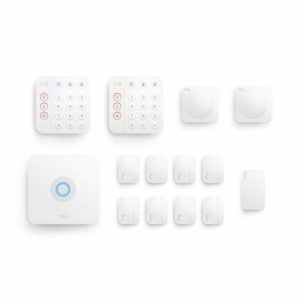
Ring offers roughly the same package in three sizes: small ($199.99), medium ($249.99), and large ($329.99).*

The right kit for you depends on the size of your home. It’s best to cover all your main entrances with a contact sensor and have motion detectors in the main entryways. The large and medium kits have all the essentials below, but with more sensors.

*Regular list prices as of 07/27/2020

Included in the Ring Alarm starter kit

Ring Alarm 2nd gen base station

Base station

This is the core of the system. The base station connects all Ring Alarm devices. The siren is also located within the base station.

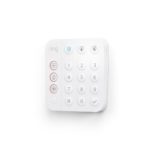
Ring Alarm 2nd gen keypad

Keypad

The keypad gives you physical control of your security system. You can arm and disarm the system and view the status of the system.

Contact sensor

This functions as either a window or door sensor. The contact sensor monitors when doors and windows are opened.

Motion sensor

This sensor provides motion detection in any area or room where it’s placed. It uses a passive infrared sensor (PIR) that can pick up movement in a ninety-degree radius.

Ring Alarm 2nd gen range extender

Range extender

This device strengthens the Ring Alarm Z-Wave mesh network to amplify the signal from the base station. This lets you place devices further away from the base station to cover more area.

Equipment highlights

The Ring alarm kit is the only security system we know of that comes with a range extender. This is usually an add-on accessory that costs extra, so it’s helpful for anyone with a larger home or outdoor equipment to have it included.

Range extenders boost the reach of your home’s Wi-Fi and provide a better connection for additional devices.

The base station and keypad control the system as a whole. Both have the signature ring light to indicate system status.

Here’s what happened during testing

When we tested Ring’s system, we found that the base station was easy to set up, but we had some difficulties with the keypad. Arming or disarming was confusing, and it was hard to tell if we’d successfully changed the system’s status until the alarm sounded (the neighbors loved that).

Eventually, we used the Ring app instead of the keypad and it went much smoother. So while a keypad is helpful when you have an armful of groceries, the app is much easier to understand.

During testing, we encountered issues with the contact sensor. If your door and window frames have molding, you might have trouble too. The doorframe was too high for the sensors to match, so the system showed that the door was open.

Thankfully, we found help through Ring’s guide to different door and window trims.

In addition to traditional home security tech, Ring has a suite of advanced indoor and outdoor cameras, environmental sensors, and more. We tested only the starter kit, but these other accessories are easy to add to your home system and play well with others.

Compare Ring Alarm security kits (2nd gen)

What it Looks Like
Equipment Cost*
Estimated Household Coverage
Included Equipment
Learn More
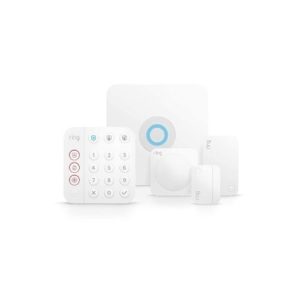
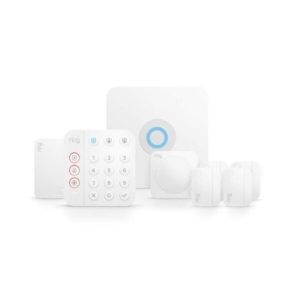
Ring Alarm 5-Piece Ring Alarm 8-Piece Ring Alarm 14-Piece
Ring Alarm 2nd gen 5-piece kit Ring's 2nd gen 8-piece Alarm system
$199.99 $249.99 $329.99
Up to 1,000 sq. ft. Up to 2,000 sq. ft. More than 2,000 sq. ft.
Base station
Contact sensor
Keypad
Motion detector
Range extender
Base station
Contact sensor (3)
Keypad
Motion detector (2)
Range extender
Base station
Contact sensor (8)
Keypad (2)
Motion detector (2)
Range extender
View on Amazon View on Amazon View on Amazon

*Amazon.com price as of 07/27/2020 at 12:57 p.m. (MT). Read full disclaimer.

More Ring Alarm kit 0ptions

If none of those kits are what you need, you can go to Ring’s website to create a Ring Alarm kit that’s just right for your home. If you’re putting together a kit, we recommend a contact sensor for every ground-floor door and window and at least one motion detector per floor. You may also want to add a keypad so you can have one at the main entrance and in the master bedroom.

Plus, all Amazon Ring kits come with the option to add an Echo Dot for free.

Ring smart home standout features

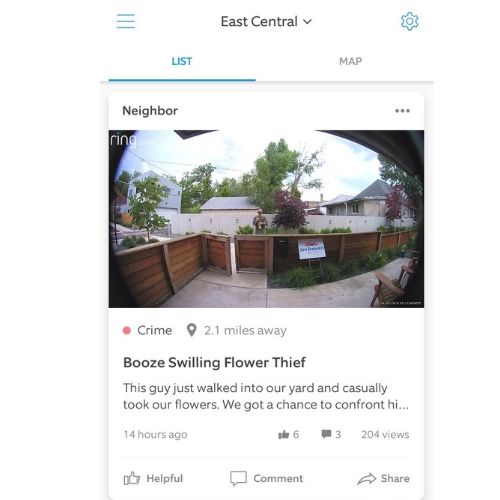
Ring has a unique feature in the app called the Neighborhood Feed. It gives you updates from other Ring users in your area. They post suspicious activity, report crimes, and even share the occasional wildlife encounter.

It can be a quick, anonymous way of keeping your neighbors in the loop and it’s a unique feature we haven’t seen on other home security systems.

That said, while we like a lot of things about the Neighbors app, it’s wise to ask questions and think about posts critically. There’s no vetting required, so we’ve seen a lot of posts that unnecessarily raise alarm.

In addition, people and organizations (including law enforcement) have tried to co-opt the app and its video or photo posts to try to identify protesters and other participants in demonstrations of civil unrest across the country.

We strongly encourage anyone using an app like Neighbors to read all the fine print about how privacy issues are handled. That way you can make the choice that feels most comfortable for you and your approach to community safety.

Screenshot from Ring Neighbors app

Smart home tech that works with the Ring security system

This system has seen a fast evolution since it first hit the market last year. It debuted without any home automation integration (not even with Ring video doorbells and cameras), but today you can control many smart devices through the Ring app, and you can use the Ring Alarm base station as a smart home hub.


Smart Home Feature Compatible Smart Home Devices
Door lock control Kwikset SmartCode 888 Touchpad Electronic Deadbolt

Schlage Connect Smart Deadbolt

Yale Real Living Assure Lock

Garage control Ecolink Garage Door Tilt Sensor
Lighting control GE In-Wall Paddle Dimmer

GE In-Wall Paddle Switch

GE In-Wall Toggle Dimmer

GE In-Wall Toggle Switch

Leviton Decora Smart In-Wall Dimmer

Leviton Decora Smart In-Wall Switch

Small appliance control GE In-Wall Smart Outlet

GE Plug-In Dimmer Two Outlet

GE Plug-In Outdoor Smart Switch

GE Plug-In Switch Two Outlet

Leviton Decora Smart Plug-In Dimmer

Leviton Decora Smart Plug-In Outlet

Voice control Amazon Alexa

Google Assistant

Ring setup and installation

The Ring system has everything you need right in the box. The packaging is slick, and it’s easy to find all the sensors, instructions, and cables you need. Ring provides directions from the app and printed materials in the box—you just need to follow along.

Installation starts with your base hub, or the “brain” that ties the system together. You’ll want to have your Wi-Fi password handy because there’s no “cancel” option if you enter it in wrong and this can add time to the process. Once your base station has a connection, the rest of the setup is simple. You’ll need a four-digit entry code for the keypad and a place to put your sensors, but these devices take just moments to install.

If you’re getting a Ring system secondhand or giving yours away, you’ll need to restore its factory settings. This process takes a while because you have to manually reset each device. Plan on a few minutes for each.

Ring Alarm customer service

Ring customer service provides help wherever you need it. Between the instructions in the box, online support, and the Ring app, we found answers to most of our questions.

We were able to find articles that helped us install a contact sensor on a difficult door and info on how to reset the system. You probably won’t have to call Ring for help, but if you need to, there are call centers in three time zones.

The company provides 24/7 customer service and technical help over the phone. Here’s a look at some of Ring’s customer ratings.*

  • Trustpilot rating: 1.6 stars, Bad
  • Ring Always Home app on Apple App Store: 4.2 stars out of 5
  • Ring Always Home app on Google Play: 4.1 stars out of 5

*Ratings as of July 1, 2020

How Ring stacks up

Compared to other self-installed security systems like it, Ring stands out for its low pricing and low commitment. It has all the same equipment and features as the big guys but for a fraction of the price. That said, Ring is still new to the home alarm game, so we’re excited to see how it can change the industry.

When stacked against systems like Frontpoint and Link Interactive, Ring does miss out on customizable product packages. While you can add on new devices or get an expandable kit, you can’t design your system from the ground up.

Brand
Lowest Monthly Monitoring Price
Starter Equipment Price
Contract Required
Installation
Smart Home Compatibility
Learn More
Read Review
Budget Pick Best Overall Smart Home Pick No-Contract Pick Most Well-Known Techie Pick
$10 $44.99 $29.99 $14.99 $36.99 $19.00†
$199.00 $0.00* $599.00 $229.00 $0.00** $399.99
X
No
X
No
X
No˄
X
No
✓
Yes
X
No
DIY DIY Pro DIY Pro DIY
Amazon Alexa
Google Assistant
Z-Wave
Amazon Alexa
Google Assistant
Z-Wave
Amazon Alexa
Google Assistant
Z-Wave
Amazon Alexa
Google Assistant
Amazon Alexa
Google Assistant
Z-Wave
Amazon Alexa
Google Assistant
Z-Wave
View on Amazon View Packages View Packages View Packages View Packages View Packages
Read Review Read Review Read Review Read Review Read Review

Amazon.com List Price as of 07/27/20 12:57 p.m. MST. (Full disclaimer)
*$0 due up-front with consumer financing.
**With $99 installation charge and new monitoring agreement. Early termination fee applies. See SafeStreets.com for full offer details, terms, and conditions.
˄No-contract options available with outright equipment purchase.
† Professional monitoring provided by Brinks Home Security.

Things to consider before you buy

Ring comes with a lot of options for monitoring, equipment, and add-ons.

Before you jump in, consider if you’d prefer to monitor your system or have help from the pros (we recommend leaving it to the pros). It’s easy to find a security system with professional monitoring, but it’s hard to beat the rate Ring sets at $10 per month.

You can also add extra equipment to your Ring system. Cameras and environmental sensors like smoke or flood detectors are just as affordable as the core system.

Ring extras for more security

Expand your Ring Alarm security system with a video doorbell, security camera, or motion-activated light. All of Ring’s equipment works together and you can control everything from the Ring app.

image of Ring floodlight camera

Ring Floodlight Cam

A motion-activated camera that features floodlights, two-way talk, voice control with Alexa, and a siren.

View on Amazon

Ring Spotlight Cam

Spotlight Cam Battery

This battery-powered camera includes LED spotlights, motion detection, and a siren.

View on Amazon

image of Ring video doorbell pro

Ring Video Doorbell Pro

This is Ring’s entry-level doorbell. It delivers motion-activated alerts, two-way talk, and night vision. Find out more in our full review.

View on Amazon

Ring Stick Up Cam Battery

Ring Stick Up Cam Battery

This battery-powered camera is Ring’s newest addition to its camera lineup. You can get this indoor/outdoor camera for around $100.

View on Amazon

New Ring equipment

New Ring equipment to add to your system or build from the ground up:

  • Ring Retrofit Kit for $199—Works with preexisting door and window sensors and motion detectors to modernize old security equipment.
  • Ring’s first-ever indoor camera—This indoor security cam starts at $60, making it the cheapest camera Ring has to offer.

Ring Alarm home security system FAQ

Do I get a refund if I pay for a year of professional monitoring but cancel early?

You are eligible for a refund if you cancel an annual Ring Protect Plan subscription during the first ten months of the subscription. Ring will charge you the monthly subscription price for every month you used the service. After that, any remaining funds will be refunded. If you cancel the plan after the tenth month, there is no refund available.

Does Ring Alarm work with my existing security cameras?

Only if your current cameras are from Ring. If you want video monitoring with your Ring Alarm system, you can get it with a Ring camera or video doorbell as part of the Ring Protect Plus plan. Because you can control multiple Ring devices in the Ring app you’ll only need to go to one source to monitor both your cameras and your Ring Alarm system.

Does Ring Alarm still work if my power goes out or I lose my Wi-Fi network connection?

The Ring Alarm security system has built-in battery backup in case you lose power. The battery backup should give you about twenty-four hours of power. For those who have a Ring Protect Plus plan, the Ring Alarm also has cellular backup.

Can I get a discount on my homeowners insurance with Ring Alarm?

Yes. Ring provides alarm certificates that customers can provide to their insurance company for a discount. The certificate can be downloaded online.

  • Log into your Ring account
  • Click the menu icon in the top left corner (it looks like three lines)
  • Click on Location Settings
  • Click on Monitoring
  • Click on Certificate
  • Download or print the certificate

What about Ring working with police departments?

There have been a number of reports about Ring partnering with police departments to give away free or discounted Ring video doorbells. The push to work with police came after Amazon purchased Ring. At first glance this looks like a proactive move by a security company to get security devices into more homes. But there has been fallout related to privacy concerns and access to personal video footage captured on the Ring doorbells.

Part of the partnership between Ring and police departments includes police encouraging people to install Ring video doorbells and then agree to share video footage in the event of a neighborhood crime. Residents don’t have to give the police access to their camera’s footage, but Forbes reported that law enforcement “can request the footage directly from Amazon if it has been uploaded to the cloud and the request is sent within 60 days of recording—even if you deny police access to footage.”

As of the end of February 2020, there were more than 400 police departments working with Amazon and Ring. The partnerships also extend to Ring’s Neighbors app, where citizens and law enforcement can share suspicious activity or report criminal behavior that’s observed or captured on a Ring camera. You don’t have to buy a Ring product to use the app, and you can still see what neighbors and police are posting even if your home is Ring-free.

Conclusion

The Ring Alarm system fits right in with small homes or anyone who wants to save money on their security budget. It’s hard to beat $120 a year for professional monitoring (or $100 if you pay for a full year in advance).

This system is easy to install and adjust, but we did run into a few hiccups when we relied on the keypad for arming and disarming. Overall, we found it easier to control the system through the app than with the keypad.

If you’re a security newbie and want to try out a system without a huge financial or time commitment, Ring Alarm is a great place to start.

Still not sure if Ring is for you? Compare this system to our overall lineup of home alarm systems or other DIY systems.

Disclaimer

Amazon.com list price as of 07/27/20 12:57 p.m. (MT). Product prices and availability are accurate as of the date/time indicated and are subject to change. Any price and availability information displayed on Amazon at the time of purchase will apply to the purchase of this product. Safewise.com utilizes paid Amazon links.

Certain content that appears on this site comes from Amazon. This content is provided “as is” and is subject to change or removal at any time.

The post Ring Home Security System Review appeared first on SafeWise.